
Free emulator for PS1
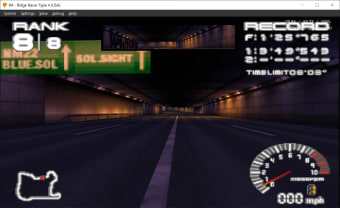
DuckStation is a free emulator of the Sony PlayStation console, focusing on playability, speed, and long-term maintainability. The program provides the most accurate simulation of the PlayStation console while maintaining performance suitable for low-end devices. However, ‘hack’ options are discouraged. The default configuration should support all playable games with only some of the enhancements having compatibility issues.
Top Recommended Alternative

A "BIOS" ROM image is required to start the emulator and to play games. You can utilize an image from any hardware version or region, just make sure it isn't mismatched to avoid compatibility issues. RetroArch is another emulator solution to consider other than DuckStation.
Relive the PS1 era
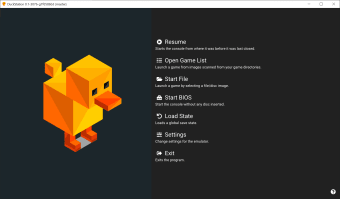
DuckStation comes with a full-featured front-end designed with QT and a fullscreen/TV UI based on Dear ImGui. The only version of Windows that the client supports is Windows 10. While Windows 7/8 can operate, these are no longer supported by Microsoft. It is also tedious to install this emulator on the Win7 and Win8 OS, so consider it a positive that this program is only compatible with Win10.
The program can, by extension, imitate the location scan used in the console's CD-ROM controller. This means that if the console's area doesn’t match up with the disc's, it would fail to boot and the display message will appear. The app supports automatic disk region identification, and if the console region is also configured to auto-detect, this should never be an issue. You don't have to change the BIOS route every time you swap regions if you choose to use auto-detection.
Only put the other BIOS images in the same directory as the configured image for the other regions. This is likely to be in the subdirectory. Then, set the Auto-Detect area of the console and it should work perfectly. If you miss the picture for the disk area, the console will tell you. It’s important to not mistake it for a BIOS Path Alternative so that an unknown BIOS revision might be the reason it is a path and not a directory.
How do I get DuckStation?
DuckStation can be quite challenging especially for beginners to install and operate. Once you have downloaded the ZIP file for your Windows OS and place it to the location you like. You will need to extract it to a subdirectory in order to launch the application from its .exe file. Afterward, you will need to copy one or more PlayStation BIOS images to the appropriate BIOS subdirectory. Alternatively, you can enable its portable mode to save it anywhere in the documents directory.
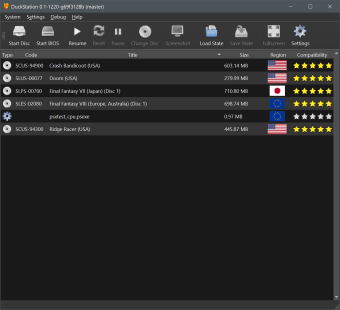
Through the Qt frontend, you have to add the directories with the BIOS images by simply clicking the ‘Setting’ option as well as ‘Add Game Directory’ consequently. The last step is to select your preferred game from the list or to open a disc image file in order to start playing PS1 games. As mentioned, for novice users, configuring this program can be a demanding task as a lot of configuration options require some deep technical knowledge and experience to customize.
Superb PlayStation emulator
DuckStation is a sophisticated, yet highly capable, all-in-one PlayStation emulator for your PC that should enable users to run their favorite PlayStation 1 console games. It has a number of helpful features, is simple to use, and has enough setup options to make the overall experience as seamless as possible—that is, if you’re familiar with your PC's advanced settings.